Install and support reference

Install OKKI Go with a controlled first run

Use the checklist below to distinguish copying the installer from running, configuring, and validating the skill. No inquiry form or account gate is required to read these steps.

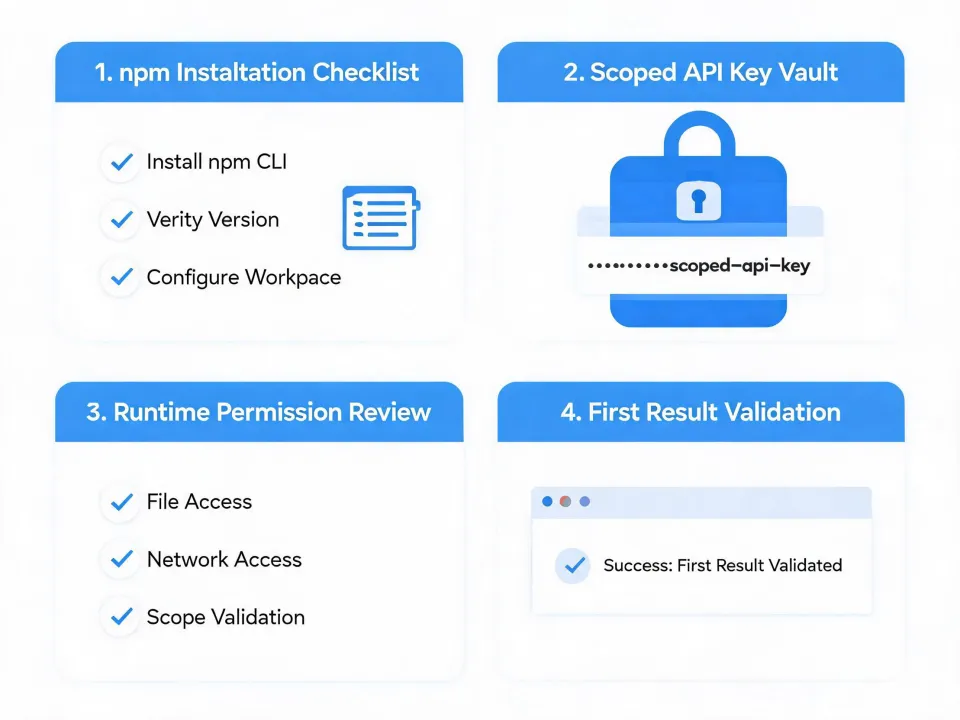
OKKI Go installation checklist and runtime permission diagram
Before you run

Check the environment

Use a terminal and AI-agent workspace you control. Confirm that Node.js and npm package execution are available according to your runtime documentation. Review who can see terminal history, agent logs, generated files, and environment variables.

  • Choose a test workspace without production customer data.
  • Know how your runtime installs, updates, and removes skills.
  • Identify where secrets and execution logs are stored.
During setup

Limit credentials

Configure only the research tools required for the first bounded task. Use scoped API keys where providers offer them, store keys through the runtime's secret mechanism, and avoid placing credentials in prompts, repositories, screenshots, or exported results.

  • Record provider terms, field rights, and rate limits.
  • Separate test and production credentials.
  • Confirm whether a connection reads, writes, or both.
Before scale

Validate the result

Run a deliberately small ICP brief. Inspect match reasons, source types, unknown fields, and the human-review state. A useful first result is one a reviewer can explain and challenge—not the largest possible list.

  • Reject weak matches instead of silently broadening criteria.
  • Keep message preparation separate from sending.
  • Check applicable privacy, opt-out, and outreach rules.

What to record for support

If installation or a connection fails, keep the runtime name and version, package output, the step that failed, the connection type, and a sanitized error message. Remove API keys, personal data, and customer information before sharing a diagnostic record.

Update and removal

Use the package and runtime mechanisms you have reviewed to update or uninstall. After removal, separately revoke provider credentials and check whether logs, exports, caches, or downstream records still require deletion.

Operational contact

Use the documentation or support channel supplied with your authorized OKKI Go distribution. This generated site does not invent an address, phone number, service-level commitment, or third-party support relationship.

Ready for a bounded test?

Copy the OKKI Go installer

After copying, paste it into a controlled terminal, read the output, configure the minimum required tools, and review the first result before expanding the workflow.

npx -y @okki-global/okki-go-taroball
Button action: copy command only. It does not install, configure, or connect a provider.